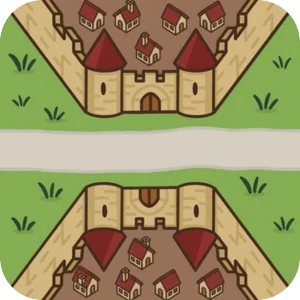
River II

Tile count

12 new river tiles

Placement rules

Adds a fork and 2 river streams

Figures

No new figures

River II placement rules

This walkthrough demonstrates a combined setup using both the River and River II expansions for a full 22-tile river.
  • River tiles are placed before any other tile
  • The river includes a fork that splits it into two streams
  • Fork Constraint: You cannot place a curve or turn immediately after the River Fork that causes the two river streams to flow parallel (hugging) in the same direction.
  • You cannot turn river streams to face in a way where they'd cross or touch another river tile (the game checks 5 tiles ahead to ensure no collisions).
  • Combines with the standard River expansion for a 22-tile setup (replacing the base start/end tiles).

Edge Cases & Substitutions

The river adapts dynamically based on which other extensions you have enabled.

The Inn on the River

Includes the "Inn on the River" tile if the Inns & Cathedrals expansion is enabled. Otherwise, it is replaced by a standard bridge tile to keep the map balanced.

With Inns
Standard

The Volcano Mouth

Includes the "Volcano" river end if the Dragon & Fairy expansion is enabled. If disabled, a standard river mouth is used instead to ensure the Dragon doesn't enter the game.

With Dragon
Standard

12 River II tiles

This extension adds the following tiles:

River Bridge Castle - 1 copy1
River Bridge Inn - 1 copy1
River Castles Bridge - 1 copy1
River Curve Road Curve - 1 copy1
River Curved - 1 copy1
River Curved Castle Pennant - 1 copy1
River Curved Garden - 1 copy1
River End Castle Edge - 1 copy1
River End Dragon Den - 1 copy1
River Fork - 1 copy1
River Monastery - 1 copy1
River Start - 1 copy1

Try it out

You can play a game with this extension enabled on TileLord.

Play Now